

In today’s post we will learn how to create random blinking lights with ESP32. We will be using the Arduino IDE, a Xiao ESP32-C6 (from SeeedStudio) and two LEDs to create an amazing blinking effect.
The idea is to create a captivating and interesting blinking effect on two common 5mm LEDs. That circuit may be useful in halloween or even in parties, where you can showcase your maker skills. Blinking LEDs is not a hard task, but generally one creates a very deterministic firmware. One that makes the LEDs blink in a sequential and predictable way.
How it works
But not today, because here and now we will create a random timing blinking program. One that can be used with virtuallly any Arduino-capable board, not only the ESP32-C6. What I will implement is a sketch that makes the LEDs change state, from ON to OFF and vice-versa. That change in state happens every “X” miliseconds, where “X” is a random number of miliseconds between 50 and 500.
So basically you never know when the next change in state will happen. At least within those 50-500 miliseconds. One thing I have to clarify is that the random() function in most Arduinos is not truly random. Instead it emulates randomness via code/firmware. Not that we really care about it here.
The objective is to see the LEDs blink in a (mostly) unpredictable way. That will create a cool looking and attention-grabbing effect. Let us then see how the hardware side will work.
Hardware
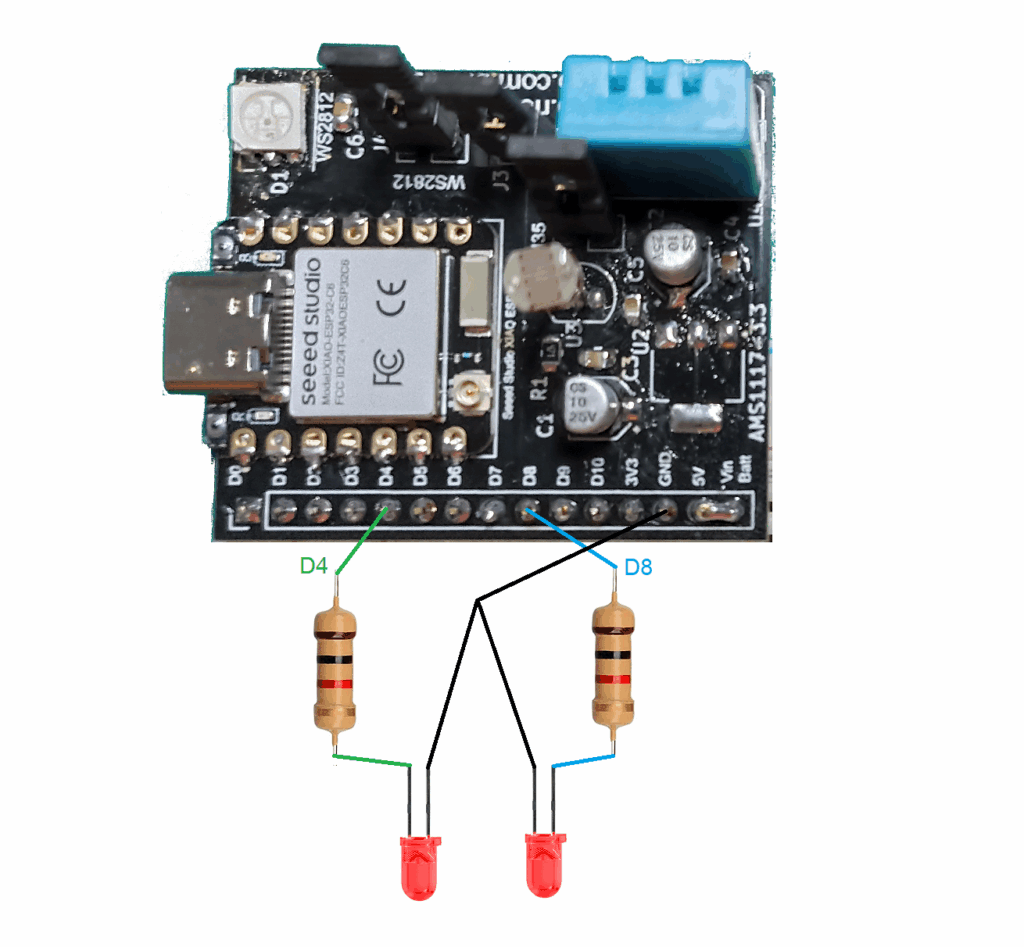
As usual here at the blog, schematic diagram is simple and clean. This time it features two 1k Ohm resistors and two (any color) LEDs. They are connected to pins D4 and D8 of the Xiao ESP32-C6. Power supply comes via the USB-C connector at the Xiao board.
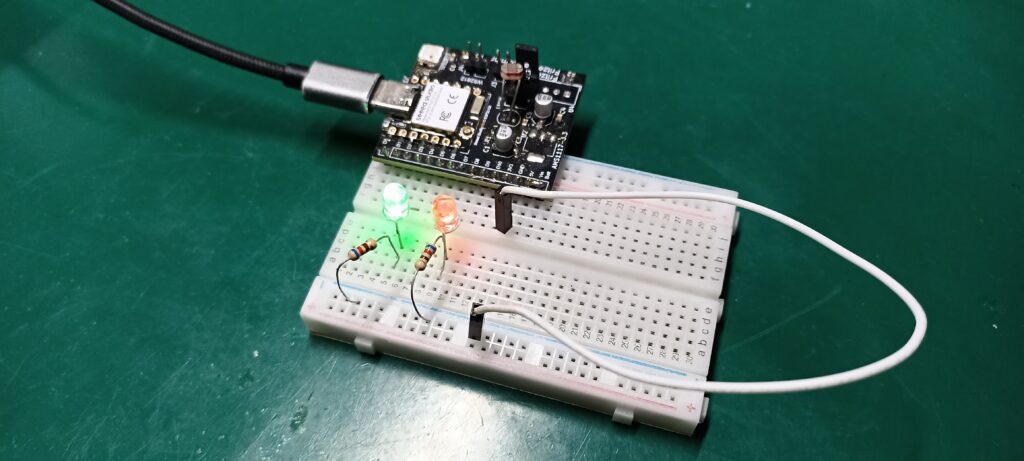
One can assemble the circuit in a breadboard (for example), or even solder it together for fun. I did mine in a 400-point breadboard, as you can see below.
Code/firmware
Before we proceed, please note that the code for this example is available in my Github. As stated, I am using Arduino code and Arduino IDE 2.3.6. Support for ESP32 was added via packages. No other library is needed for our example code.
The “juice” of the code is the if statement below. That if will only be true when the current millis() minus the old millis() (currentTime1) is bigger than randomTime1. So by entering the if statement once the code captures a new random number between 50 and 500. That random number is then used as counter for the next time the if statement is entered.
if(millis() - currentTime1 > randomTime1){
    currentTime1= millis();
    digitalWrite(LED1, !digitalRead(LED1));
    randomTime1= random(50, 500);
  }
I do one if statement for each LEDs, total of two if statements. This means they are independent from each other. That makes the blinking look very random when both LEDs are side by side.
Final result
I made a video to illustrate the concept and idea, as well as the implementation. As stated before, I am supplying the Xiao ESP-C6 board via USB-C.
Pingback: Generate random numbers with ESP32 - FritzenLab electronics