Did you know you can read ESP32’s internal temperature (on chip)? Let’s read ESP32-C3 internal temperature sensor with microPython and Thonny IDE.
This official document from Espressif talks a bit about the internal temperature sensor os ESP32-C3. There is the equation below where one can obtain temperature in degrees Celsius directly.
T(°C) = 0.4386 ∗ V ALUE–27.88 ∗ offset–20.52In microPython there is a function ready to be use, found in here (official documentation). It has to be read on ADC(4) and is represented by:
temp = esp32.mcu_temperature()For a nice comparison we will also be implementing two other temperature readings: an NTC thermistor and the famous LM35. Both will rely on analog inputs (A0 and A3) to be read. The NTC thermistor is basically a variable resistor, but it does not vary linearly. So we have to apply its voltage into an equation, in order to convert it to degrees Celsius.
There are this, this and this reference about its equation. Conversely the LM35 is also an analog output sensor, but a linear one. It outputs a 10mV/ºC voltage, in a linear fashion. It means that for example for 24ºC it would output 240mV (10mV * 24ºC). We have talked about it here before.
Hardware/connections
As usual here on the blog, our schematic diagrams are simple and straightforward. Today’s experiment will use pins A0 and A3, besides 3V3, 5V and GND. There is the need for 5V because the LM35 requires 4+ Volts to work. There is also the need for a 10k Ohm resistor divider for the NTC thermistor.
Our internal ESP32-C3 temperature sensor does not require any special or external hardware, everything is inside the chip. You can see full schematic diagram below, along with picture of the setup.


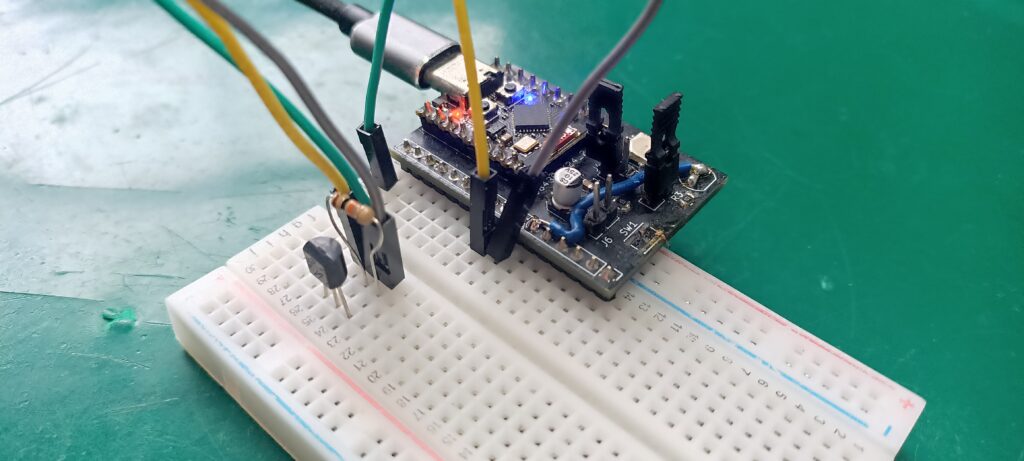
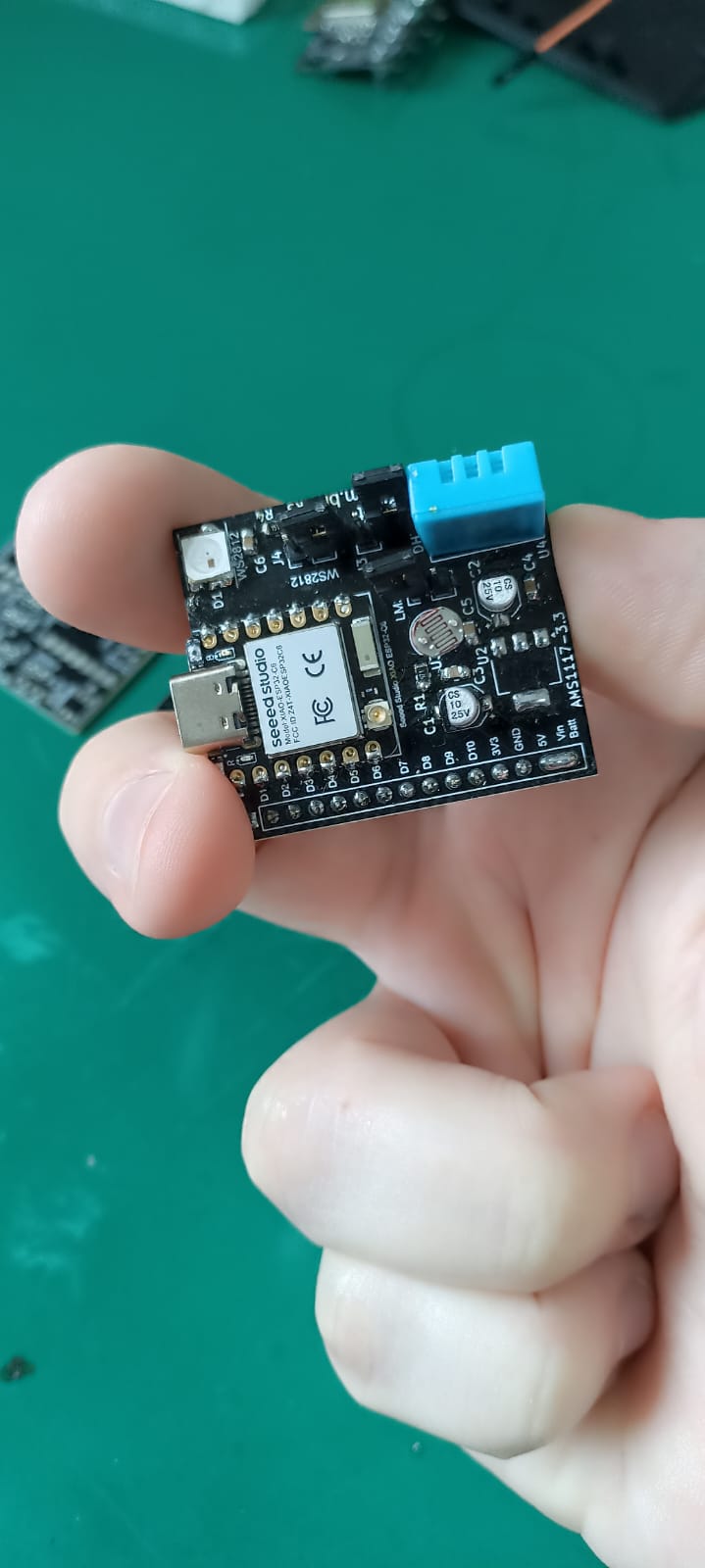
Notice that the only component visible on the breadboard is the LM35 in a TO-92 case. This is because my NTC thermistor is soldered to the black circuit board I made. It is a SMD 0805 component called R2 in the pictures above. Also please note that I put a 10k Ohm resistor between the output and GND of the LM35; that is not really necessary. I just put it there to stabilize the readings a little bit, but it did not help.
Firmware/code
All firmware I made in mycroPython for this project is here on my Github. That is along with picture of the assembly and other files. As stated before (and in the code below) I used a couple of references to develop my own code, did not use them directly.
All code made available to you is non-blocking, meaning I did not use “sleep()”. This means you can add more code on top of mine and it will mantain functionalily. I actually created two functions, one for the LM35 and the other for the NTC thermistor. There is also an LED blinking (the onboard one of ESP32-C3 Super mini, on pin 8).
Full code is below, copy it and paste in a new file on Thonny IDE. Then save it (ON THE ESP32, not on your computer) as “main.py”. Click the green arrow on the top left of the screen (“Run current script (F5)”) to run it.
# reference 1: https://domoticx.net/docs/ntc-sensor-rpi-pico/
# reference 2: https://bhave.sh/micropython-measure-temperature/
# reference 3: https://randomnerdtutorials.com/esp32-esp8266-analog-readings-micropython/

from machine import Pin, Timer, ADC
import time
import esp32
import math

led = Pin(8, Pin.OUT)
tempsensor = ADC(4)
ledDelay= time.ticks_ms()
tempDelay= time.ticks_ms()
adcntc = ADC(Pin(3))
adcntc.atten(ADC.ATTN_11DB) # 0 - 3.3V input range

lm35 = ADC(Pin(5))
lm35.atten(ADC.ATTN_11DB)  # Full voltage range: 0V - 3.3V
lm35.width(ADC.WIDTH_12BIT)  # 12-bit resolution: 0 - 4095

BETA = 4000           # Beta parameter (adjust to your thermistor)
T0 = 298.15           # Reference temperature (Kelvin) = 25°C (273.15 + 25)
R0 = 10000            # Thermistor resistance at 25°C (Ohms)
R_FIXED = 10000       # Fixed series resistor (Ohms)
VREF = 3.30           # ADC reference voltage

SENSITIVITY = 0.01  # 10 mV per °C for LM35

def read_lm35():
    adc_value = lm35.read()  # Read ADC value (0 - 4095)
    voltage = (adc_value / 4095) * VREF  # Convert to voltage
    lm35_celsius = voltage / SENSITIVITY  # Convert to Celsius
    return lm35_celsius

def read_temperature(): # NTC temperature readings
    adc_val = adcntc.read_u16()
    voltage = adc_val * VREF / 65535
    #print("V ntc= ", voltage) #analog voltage on pin A3 (ntc reading)

    # Calculate thermistor resistance using voltage divider formula
    r_ntc = R_FIXED * (VREF / voltage - 1)

    # Apply Beta equation to calculate temperature (Kelvin)
    temperature_kelvin = 1 / (1/T0 + (1/BETA) * math.log(r_ntc / R0))

    # Convert to Celsius
    temperature_celsius = temperature_kelvin - 273.15
    return temperature_celsius

while True:
    if time.ticks_ms() - tempDelay > 1000:
        tempDelay= time.ticks_ms()

        temp = esp32.mcu_temperature()
        print("CPU Temperature: {:.0f}°C".format(temp))
        tempntc = read_temperature()
        print("NTC Temperature: {:.2f}°C".format(tempntc))

        templm35 = read_lm35()
        print("LM35 Temperature: {:.2f} °C".format(templm35))

        print("__________________________")

    if time.ticks_ms() - ledDelay > 200: # blinks an LED (onboard ESP32-C3 Super mini, pin 8)
        ledDelay= time.ticks_ms()
        led.value(not led.value())
End result and final thoughts
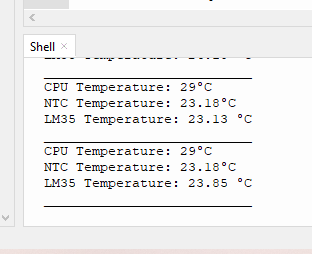
If everything is all right (as it should) you will see information similar to the image below, on the Shell on the bottom of the Thonny IDE screen. CPU temperature is to be a bit higher, that is normal. NTC and LM35 temperatures are to be similar, since they are both in free air and close to each other.
If you want to buy an LM35 use my Aliexpress affiliate link here. Conversely if you want to buy some NTC thermistors, click here.


Pingback: ESP32-C3 internal temperature sensor with Arduino - FritzenLab electronics